





kidSAFE Seal Program
Listed

2022 National Parenting Product Awards
Winner

Educational App Store
5-stars Certified

Family Choice Awards
Winner

Mom's Choice Awards
HONORING EXCELLENCE

Lovedbyparents
Best Buy Awards 2022

The National Parenting Center
SEAL OF APPROVAL
kidSAFE Seal Program
Listed
2022 National Parenting Product Awards
Winner
Educational App Store
5-stars Certified
Family Choice Awards
Winner
Mom's Choice Awards
HONORING EXCELLENCE
Lovedbyparents
Best Buy Awards 2022
The National Parenting Center
SEAL OF APPROVAL

The 360° Risk Kids Face — From Feeds to Selfies

54% of the teenagers reported that they first saw pornographic content before the age of 13.

1 in 3 children are exposed to nude images, especially through popular social media or search engines.

The percentage of teens engaging in Sexting has increased by 140% in the past five years.
*Resource from Common Sense Media
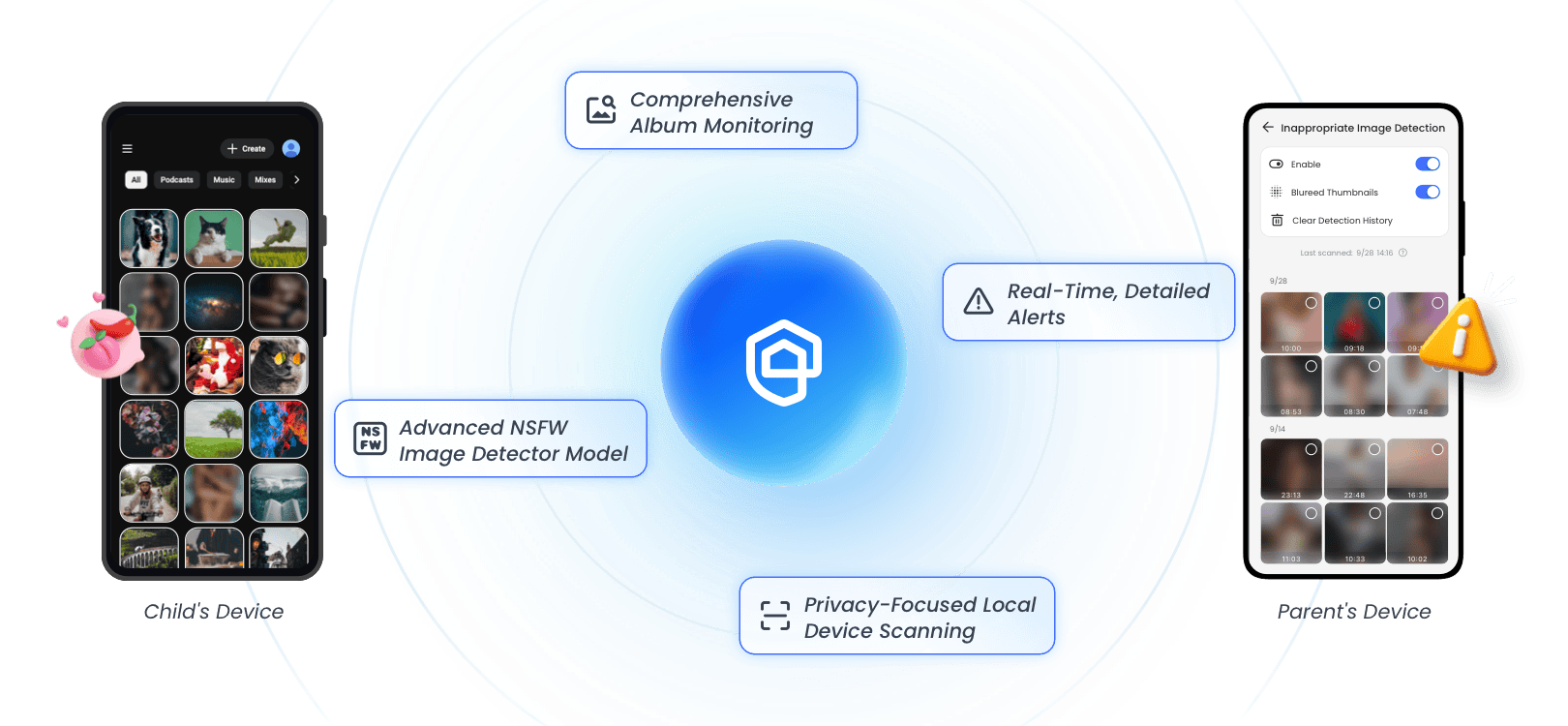
AirDroid Parental Control: A Powerful NSFW Image Detector
-
AirDroid Parental Control's advanced system scans your child's phone album locally, flagging explicit photo like nudity automatically.
-
You can get notified immediately if a risk is found. No more manual searching through hundreds of photos. It’s total protection with complete privacy.
Gain Peace of Mind with Proactive Protection

Detect All Hidden Image Risks
Whether it's images from strangers or saved during chat, our system scans the entire photo gallery. It finds dangers, giving you complete oversight.

Enable Proactive Intervention
Real-time image alerts give you the crucial window to act swiftly, turning potential online threats and risky content into calm, teachable moments.

Protect Child's Mental Wellbeing
Too early exposure to explicit content can cause lasting harm. AirDroid Parental Control acts as a protective filter, safeguarding your child’s innocence and mental health.

Facilitate Trusting Conversations
Use alerts as a factual basis to discuss digital safety. This evidence-based approach helps you guide them and build trust without arguments.
Beyond Alerts: Empowering Families Through Digital Dialogue
While our image detection technology acts as your essential safeguard, we believe lasting protection is built on a foundation of trust. When you receive an alert, stay calm and use it as an opportunity to start a conversation and understand your child's situation, rather than directly questioning.

Detect Unsafe Images in 3 Steps
-

Download and Install
Download AirDroid Parental Control on the parent's phone.
-
Sign Up and Sign In
Register an AirDroid account and sign in on the parent's device.
-
Bind Child's Device
Install the AirDroid Kids on the kid's phone and input the binding code to connect both devices.

Your Trusted Digital Parenting Assistant


4.7 on App Store

4.6 on Play Store

Dude hygge

Michelle Morrice

CH ABDULRAHMAN

Miguel Almond
Real Parents Stories
More About AirDroid Parental Control
-
App BlockerLearn more
-
Screen Time LimitLearn more
-
Web Safe SearchLearn more
-
Check SurroundingsLearn more
-
Notifications SyncingLearn more
-
Family LocatorLearn more
-
Activity ReportLearn more
-
Parent Alerts








FAQs & Hot Topics

-

Uninstall Protection
-

Easy Co-Parenting
-

1 Account Bind Multi-Devices
-

GDPR Compliance


