AirDroid Parental Control
24/7 Kids' Guardian via App & Web
- 👀Live surroundings and location tracking
- 🔞Content Monitoring and App/Web Blocking
- ⚠Instant alerts for online risks and geofences
- ⌛Screen time control and monitor

Is Locket Widget Safe for Kids? A Parent's Guide to This App

Locket Widget is a photo-sharing app that lets users send pictures directly to their close friends' phone home screens without posting them publicly. Because it offers a more private way to share everyday moments, many parents assume apps like Locket are safe.
So, is Locket Widget really safe for kids?
Here are our takeaways:
- Locket is safer than traditional social media apps, but it is not "risk-free."
- Safety rating: ⭐⭐⭐⭐
- Age rating: 13+ (App Store) / Teen (Google Play)
- Why it is safer: Friends-only sharing, no public feeds, no likes count, and no filter.
- What parents need to watch out: No moderation for inappropriate images; intensified pressure in closer friend groups; kids may add strangers.
What teens can do on Locket Widget
To understand whether Locket Widget is safe for teens, it's important to first look at what the app actually allows them to do:
- Take and send fresh photos using the Locket app's camera (these appear instantly on their friends' home screen widgets).
- Add friends with Locket downloaded.
- Share photo collections from the last week with friends.
- View shared photos from friends and react to them with emoji or text.
- Revisit shared and received pictures in the "History" tab.
Why is it safer than major social apps?
Though Locket isn't designed for kids or teens, it removes many of the social media features that typically increase risk for kids:
- No Public Feed: There is no "Explore" page or "For You Feed." Your child won't stumble upon content from strangers, nor will they be pushed to strangers by algorithms.
- No Search: Locket doesn't offer a search function, so your child is unable to find inappropriate content on the app.
- No Public Likes or Comments: Users cannot see like or comment counts. All replies to a photo are one-to-one. This removes the social anxiety associated with social media apps.
- No Filter: Users can't use beautifying filters or upload pre-edited photos, which reduces appearance pressure a lot.
Is there any safety concern?
At first glance, Locket Widget looks completely benign. However, online safety organizations have raised substantial red flags regarding how the app operates in the real world. Here are the core issues parents shouldn't overlook:
1Instant Exposure & Lack of Moderation Risks
Because photos appear instantly on the home screen without the user clicking on them or opening the app, there is absolutely no "decline" or "preview" option.
A comprehensive safety evaluation by Safer Schools highlighted a critical vulnerability: Locket features incredibly weak age verification, allowing kids under 13 to bypass restrictions simply by checking a box. Once inside, they are completely exposed to unsolicited media.
Prominent digital safety expert Wayne Denner publicly warned parents that because Locket lacks any built-in content moderation or parental control dashboards, an inappropriate or explicit image sent by anyone will pop up the exact second your child unlocks their phone.
While this is less likely within a circle of trusted friends, the risk skyrockets if a child mistakenly adds an acquaintance or a stranger, leaving them zero opportunity to block the image before viewing it.
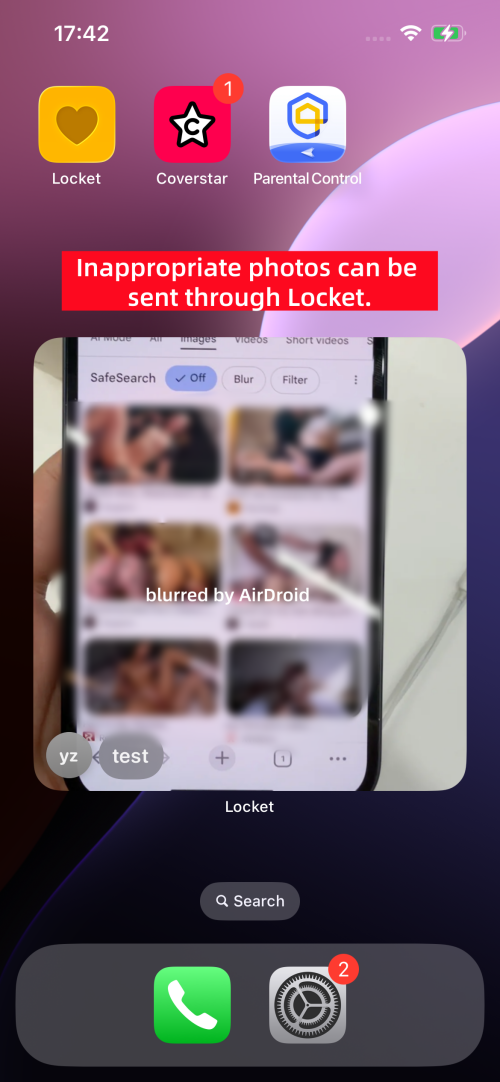
Get Alerts for Inappropriate Images!
Tools like AirDroid Parental Control can send instant alerts whenever an explicit image was saved to your child's Photos app.
2Social Pressure
The "friends-only" mode doesn't always mean "pressure-free."
If they miss friends' updates or reply late, they may worry about being excluded or seen as "less close." Moreover, because these are close relationships, teens may become overly concerned about whether their friends respond quickly. Someone even associates self-worth with how often friends react to their photos.
Over time, this can turn casual sharing into stress.
3Privacy Leaks
During testing, I noticed many users shared their Locket profile links on Reddit and TikTok to connect with new friends. And if your kids like making friends, they might be tempted to add these ones.
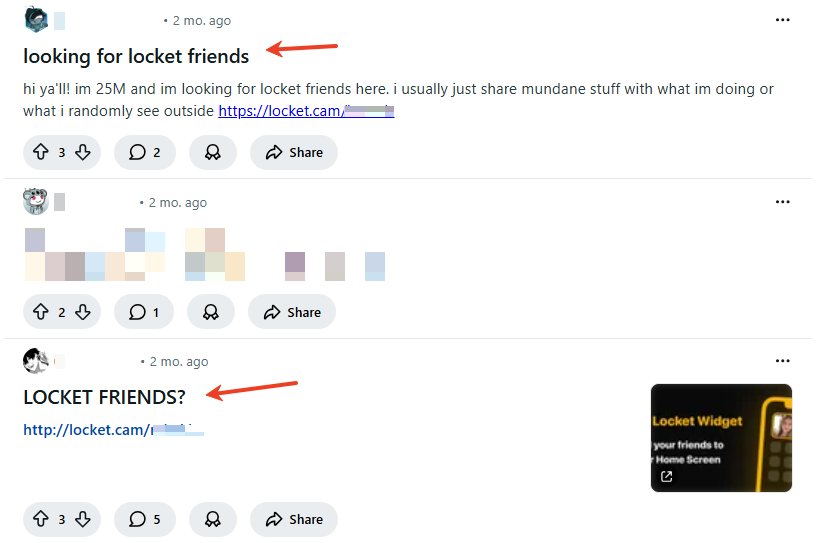
Once a stranger is on their Locket "friends" list, your child's private life, moments, and photos are not "private" anymore.
3Severe Privacy Violations & Data Tracking
Many parents believe Locket protects data because it isn't a public timeline, but the app's backend data practices tell a different story. The Joindeleteme issued an official "Warning" rating for Locket Widget, stating that the app fails to meet basic privacy and security recommendations for children.
According to their investigation, Locket requires access to a user's entire contact database (including saved names and phone numbers of people who don't even use the app).
Furthermore, the app tracks kids across third-party websites to build data profiles for personalized marketing and targeted ads. Additionally, thousands of lonely teens regularly post their private Locket invitation links on public platforms like Reddit and TikTok to hunt for new friends. If your child clicks these, they are willingly inviting complete strangers straight onto their phone's home screen.
Should parents worry about Locket Widget?
The short answer is: Not as much as TikTok, but don't look away.
Though it is safer than the major platforms, its safety still depends on how your child uses the app. So, if you are ready to download it for your child, take our tips to turn worry into protection:
Stick to the "Friends Only" Rule
Sit down with your child and review their Locket friend list. Ask: "Do you know this person in real life?" or "Is this someone we actually know?" If the answer is no, delete them.
Establish "No-Snap" Zones
Teach your child boundaries early. Agree that certain areas are off-limits for Locket photos:
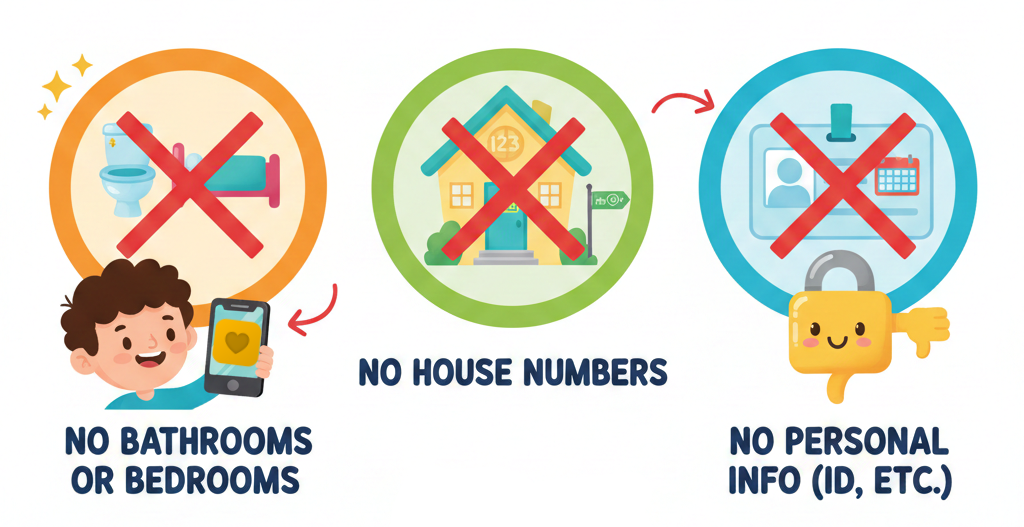
- No bathrooms or bedrooms.
- No photos showing house numbers or street signs.
- No photos of personal info, such as an ID card.
Join Them
This is one of the best ways. By joining your child's Locket friend circle, you can better see how photos are shared. More importantly, you can stay involved in your child's daily life.
Add Parental Controls for Extra Visibility
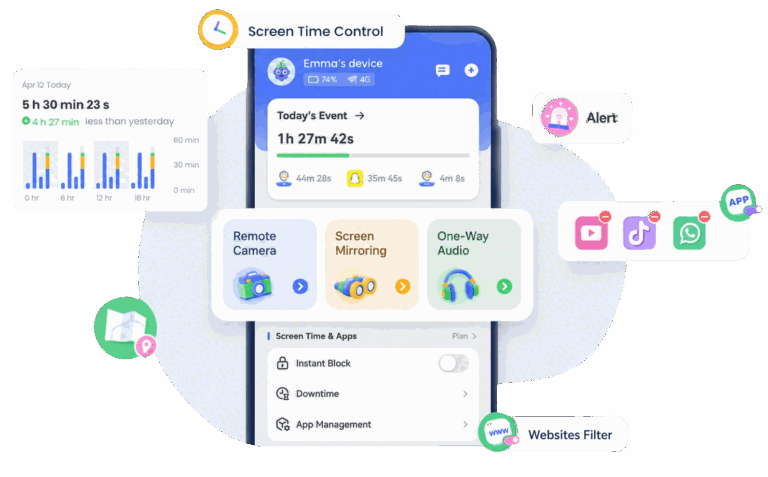
Locket and other photo-sharing apps don't offer built-in parental dashboards. Hence, for extra peace of mind, a parental control app like AirDroid can help fill that gap.
It gives parents a clearer insight into screen time usage and helps detect potential online risks through notifications. Moreover, it can notify parents if there is an inappropriate photo saved.










Leave a Reply.