
- Remotely monitor and troubleshoot both attended and unattended digital signages.
- Enable privacy mode on screens during troubleshooting to prevent data breaches.
- Set up alerts to detect abnormal behaviors and trigger workflows to address them.
- Configure digital signage to meet your organization's goals.
A Comprehensive Digital Signage Remote Management Guide
Digital signage is crucial for any company— it extends brand presence into the real world. In the past, however, these devices were often difficult to manage, maintain, and use to their full potential.
Fortunately, a range of software tools now supports every aspect of remote digital signage management, from content distribution and interactive experiences to device security, troubleshooting, and hardware monitoring.
With these tools, brands can simplify their digital signage remote management and, in turn, maximize the impact of these touchpoints.
This guide outlines the problems each remote signage tool solves, shows how to choose the right combination for a given deployment, and ends with a checklist for selecting a device management platform.
- 1 : Remotely creating and pushing display content
- 2 : Create interactive display content with remote digital signage software
- 3 : Locking the device as a kiosk for digital signage
- 4 : Remote troubleshooting with remote digital signage software
- 5 : Extra Tips: Hardware Management
- 6 : Which Tools Do You Need?
- 7: Digital Signage Device Management Checklist
1Remotely creating and pushing display content
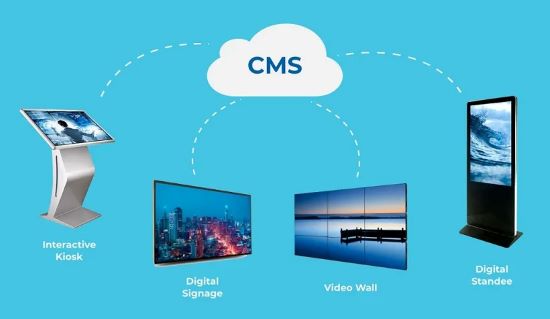
Specialized tools for creating and distributing display content exist. This class of software is often known as a digital signage content management system (CMS). Popular choices in this category include ScreenCloud, Yodeck, and RiseVision.
There are several advantages of digital signage CMS over incumbent workflows.
Challges: The status quo in content management for signage
Most companies have specialized software that helps them create display content. Unfortunately, these solutions do not always allow for remote distribution of the content to the brand’s ecosystem of digital signage.
As a result, brands have to deploy engineers. These engineers will visit different signages, upload content via a USB or other hardware device, and manually check whether it is displayed correctly. This process is cumbersome: Companies must maintain a fleet of vehicles and track engineers as they travel from site to site.
In some cases, companies can share display content through a local network (LAN), but this is limited to signages that share the same server. Thus, this approach would not be available to remote signs far away from a headquarters or office. Neither of these approaches is scaleable. Instead of focusing on creating impact through their signage, brands are left wasting time on configuration and deployment.
How digital signage CMS simplifies remote management
Digital signage CMS represents a dramatic leap forward for brands. Upon creating their display content, they can distribute it from a single back-end. While this feature may seem only about convenience, it also gives brands unprecedented agility in their advertising approach.
💡For example, imagine a brand’s marketing team catching wind of a competitor’s campaign. Previously, they could not respond in real-time: They would have to send engineers to the signage and then deploy content individually. The message would have become outdated by the time the response was fully rolled out.
In contrast, with digital signage CMS, brands can respond in hours, if not minutes. This ability transforms their digital signages into branded hubs that can display the latest and most important information, just like social media.
2Create interactive display content with remote digital signage software
Regarding signage, most consumers are accustomed to being passive viewers. They pass by the display, view its content, and then move on. With the advent of interactive display software like Intuiface or SpinetiX Elementi, brands no longer have to abide by this paradigm: They can create interactive content as users have become accustomed to from their smartphones, tablets, and laptops.
Unlike digital signage CMS, interactive display software is not built around the function of remote distribution. Instead, these tools enable brands to create interactivity beyond just display, such as inputting information onscreen, tracking the viewer’s eyes or movements, or merging the digital and physical worlds through augmented reality (AR). These tools can facilitate a higher level of engagement between viewer and ad.
Challges: The missing opportunity in traditional outdoor advertising
Digital signages trace their roots in other forms of outdoor advertisement, such as billboards.
Because of this lineage, digital signage has most of the benefits of digital signage except for interactivity. They may use visual effects like animations. They may switch between images or videos in a way that would be impossible with traditional outdoor advertising. They may remain brightly colored and visible in any environment, even in bad weather or nighttime.
Despite these advantages, signage typically lacks interactivity. Users interested in the product or service cannot input information on a touchscreen. The signage does not have eye tracking or gesture recognition to personalize the interaction. There is no augmented reality add-on to transform the viewing experience into an experiential one.
In short, digital signages are too often a digitization (i.e. a direct translation of outdoor advertising into digital) rather than a digitalization (i.e. a native reimagining of advertising for digital), which represents a waste of resources.
In their current form, most digital signages miss out on a significant opportunity to further engage viewers when their attention is already captured. If the ad already has their attention, why not go further as an advertiser with the additional engagement you can create through interactive display software?
How interactive display software simplifies remote management
Interactivity is a powerful tool. Instead of only broadcasting messages to users, brands can engage with them in unprecedented ways.
💡For example, British Airways launched a campaign in which a child on a digital billboard points at an airplane flying in one direction, which is then identified with a caption (e.g., “Look, it’s flight BA475 from Barcelona.”) This ability creates a mesmerizing experience for onlookers, especially those who may be awaiting flights from arriving or departing loved ones.
Similarly, fans of the Dallas Cowboys could pose with their favorite athletes at a terminal through the power of augmented reality. While every brand does not need such an advanced level of interactivity, any responsiveness is welcome.
Interactive display software can help configure digital displays so that they are compatible with touch screens. In this way, brands can collect information from users when they have their attention.
More ambitious brands can even incorporate facial recognition or eye or gesture tracking to create personalized experiences. For example, a fashion retailer may include facial recognition to recommend products ideal for that person’s age and gender.
Interactive display software makes signage more efficient. Instead of only serving content, it can now collect customer information or deliver a personalized experience.
3Locking the device as a kiosk for digital signage with remote digital signage software
Interactivity is a double-edged sword. For every ten users who will use interactive signage as intended, there may be one or two who do not. Most brands do not anticipate this misuse, leaving them vulnerable to several problems.
Challges: The risks of unmoderated interactive signage
There are many dangers of interactive signage.
- Unauthorized Internet use — Since these devices are connected, users may exit the intended app for other purposes, download and use different apps, or browse the Internet.
- Defacement — Traditional billboards are popular targets for graffiti. Digital signage is no different, especially when it is interactive. If it is touchscreen-enabled, some users may input vulgar terms, such as racist language, for other users to chance upon.
- Hack or attack - The user may attempt to download malicious software onto the device. Alternatively, they may try to use the signage as an entry point into the organization’s other systems. These devices are a severe attack vector, especially since they are mainly left unmonitored by the public.
Locking down signages
The best way to prevent signage abuse is to lock them down into kiosk mode.
The feature is simple: Businesses can restrict devices to only the intended app. This ability transforms every signage into a single-purpose device.
Users can only use preset applications and contents, such as self-service systems, advertisement or information panels.
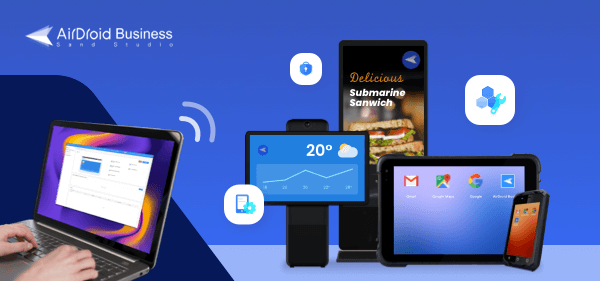
Kiosk mode streamlines the user journey and protects brand assets when needed. This ability is often available through a mobile device management (MDM) solution like AirDroid Business.
4Remote troubleshooting with remote digital signage software
Consumers are everywhere, but brand representatives are not. Unfortunately, this situation results in onlookers discovering broken signage before a company does. Instead of relying on manual signage monitoring, some companies are turning to software that can handle remote monitoring and troubleshooting.
Challges: Common technical issues with signage
Signages are vulnerable to various problems. Their screens may freeze on incorrect screens, glitch, or display nonsense.
When companies rely on manual deployment of signage through USB devices and other hardware, they often must also monitor it manually. Engineers making the rounds will identify errant displays and fix them. In some cases, companies crowdsource issues, welcoming onlookers to report non-functional signage.
These workflows are problematic. Companies will often discover problems far too late, undermining their very purpose. For example, a passerby can post a photo of a tech organization’s glitching sign and share it on social media as evidence of their incompetence. Rather than assisting the brand, the signage ends up causing reputational damage.
Software with remote monitoring and troubleshooting
Software with remote monitoring and troubleshooting has two features that simplify remote digital signage management.
The first is real-time remote monitoring, which enables an IT professional to view the signage as it would appear to a person onsite. With this ability, the IT professional can identify a problem with a signage, such as a frozen screen, as soon as it occurs.
The second component is troubleshooting. The best solutions in this category enable fully remote troubleshooting, even if a colleague is unattended. Remote troubleshooting is accomplished by assuming control of the signage and taking the necessary actions. A signage with a frozen screen, for example, may need to be reset to return to working order.
With this software, organizations gain not only simplicity but also speed: Their signage can be fixed in an instant, maximizing uptime.
5Hardware management
When canvassing for solutions in remote digital signage software, most companies focus only on the software. This approach is misguided: Brands must pay equal attention to hardware and the content it displays. If the hardware is not working, it cannot display any advertising.
Signages may have a shorter life cycle than other hardware due to their exposure to the elements. Interactive signage is also subject to wear and tear from constant use by members of the general public.
Previously, brands also had to monitor their hardware manually, going onsite to inspect signage for any signs of damage. Now, this process is streamlined through solutions like Scala, which offers full hardware management for its proprietary line of devices.
With full device monitoring, brands can remotely check the status of their signage and stage interventions as needed. For example, signage that needs maintenance can be repaired before the problem escalates, leaving it unusable for an extended period.
These solutions ensure that brands have a two-pronged approach to maintaining the effectiveness of both their software and hardware.
6Which Tools Do You Need?
These different management capabilities are all essential for remote digital signage, but few single tools cover all five areas. So for buyers, the real question is not which tool to choose but which tools are needed and how they work together.
The table maps each problem to the type of tool that usually handles it and shows when that tool is needed.
Problem (Part) | Tool category | Examples | You need it when |
|---|---|---|---|
| Content management | Digital signage CMS | ScreenCloud, Yodeck, Rise Vision | Your content changes often, or needs playlists and schedules |
| Interactive experiences | Interactive display software | Intuiface, SpinetiX Elementi | Screens respond to touch, gesture, or other input |
| Device security | MDM with kiosk mode | AirDroid Business, Scalefusion, Hexnode UEM, 42Gears SureMDM (compared in Part 7) | The public can reach the screen |
| Device operations | MDM or other remote management software | The same MDM platforms | Your sites are spread out or hard to reach |
| Hardware upkeep | Hardware vendor platform, or MDM device monitoring | Scala for its own devices | You run a large fleet, or one hardware line |
Compare the tool categories, and one stands out. A device management platform covers more of the five problems than a CMS or interactive display software does: device security, remote operations, and part of hardware upkeep. Still, few deployments need every tool in the table, so the next step is to work out which ones you need.
How the tools combine
The combinations below cover most cases:
Deployment | Tools you need | Why |
|---|---|---|
| A few screens in staffed locations, content changes often | CMS only | Staff can fix a frozen screen on the spot, so lockdown and remote repair matter less |
| Many sites, public screens, content changes often | CMS plus a device management platform | The CMS handles playlists and schedules. The platform locks devices and fixes faults remotely |
| Touch screens in public spaces | CMS, interactive display software, and a device management platform | Public touch input raises the risk of tampering, so lockdown and monitoring matter more |
| A simple loop that rarely changes, screens hard to reach | Device management platform only | File push, lockdown, and remote control matter more than playlists |
Every setup except the first includes an MDM platform, which handles many of the day-to-day challenges of managing digital signage. The following checklist outlines the key factors to consider when comparing MDM platforms.
7Digital Signage Device Management Checklist
When choosing a digital signage management platform, don't rely on sales figures alone. Test each candidate against the scenarios most likely to cause problems: a frozen screen, a failed update, a lost network connection, or a curious passerby.
We've put together a checklist to guide you through the process in three steps.
Step 1: Check the must-have requirements
This step aims to assess whether a platform has basic functionality and to eliminate platforms that do not. Drop any platform that fails one of these three:
- Kiosk lock on your device OS. Kiosk support varies by OS, so make sure your devices are compatible and the features you need are supported.
- Remote content or app distribution to device groups. You should not need a site visit to change what a screen shows.
- Remote monitoring with a live view of the screen. Online status alone does not tell you whether the screen shows the right content.
Step 2: Ask the evaluation questions
This step will assess the system's ability to handle situations that lead to downtime. They follow the life of a signage device in five groups: deploy and organize the fleet, distribute content and updates, lock the devices down, monitor and fix them, and control who can change what. Each group becomes one row in the Step 3 scorecard, so you can weight it for your own deployment.
Group A: Deploy and Organize
A platform that works for 20 screens can fail at 2,000. Ask for proof at your target size.
- Can you enroll devices in bulk, for example with a QR code or a pre-set configuration, without touching each one?
- Can you group devices by site, region, or screen type, and apply different policies and actions per group?
- How does the console perform at your target device count? Ask for a reference customer at similar scale.
Group B: Distribute Content and Updates
A device management platform can push files and apps, while playlists and schedules usually belong to a CMS.
Score this group on what the platform does itself, and note which features depend on a separate CMS. If you keep your CMS, also score how well the platform works with it.
- Can you push videos, images, and apps to selected groups from one console, and see delivery status per device?
- Can you schedule content by time and by group? If not, which CMS does the platform work with?
- Can you update apps and firmware in waves, test on a small group first, and roll back a bad release or a failed update?
Group C: Lock Down and Secure
A locked screen is a protected screen. Test lockdown by trying to break out of it, not by reading the feature page. Signage also sits in public spaces and often shares a network with business systems, so treat each screen as an exposed endpoint.
- Does it support single-app and multi-app kiosk on your OS, with the status bar, settings, and navigation buttons hidden?
- Is the exit protected by an admin password, and does the app relaunch automatically after a crash, reboot, or power loss?
- Can you restrict which networks the device can join and which domains it can reach?
Group D: Monitor and Troubleshoot
This group decides how many site visits you still need. A platform that finds a problem but cannot fix it remotely only moves the cost to a different step.
- Which health signals can you see: online status, storage, memory, and screen state?
- Can an alert trigger an automated fix, and who gets notified?
- Can you view, control, and restart an unattended device without a site visit?
Group E: Govern Access and Audit
As the fleet grows, more people touch it. This group checks who can change what, and whether you can see afterward what changed.
- Can you set admin roles by group or region, so a regional manager sees only their own screens?
- Does the platform log who changed what and when, and can you export the logs?
- Do sensitive actions, such as a factory reset, need a second confirmation or approval?
Step 3: Score Each Platform
Score each group from 0 to 3. A 0 means not supported, a 1 means partial or needs a workaround, a 2 means supported with limits you can accept, and a 3 means fully supported and verified in your pilot, not just claimed by the vendor.
Use the default weights below, then adjust them for your scenario.
Group | Default weight | Platform A | Platform B | Platform C |
|---|---|---|---|---|
| A. Deploy and organize | 15 | |||
| B. Content and updates | 25 | |||
| C. Lock down and secure | 20 | |||
| D. Monitor and troubleshoot | 25 | |||
| E. Govern access and audit | 15 | |||
| Weighted total (out of 100) | 100 |
Formula: weighted total = sum of (weight × score) + 3
Adjust the weights to match your risk. Raise Group B if your content changes often, Group D if your screens are hard to reach, and Group C if your screens sit in open public spaces.
Score only after a pilot. Run 10 to 20 devices across at least two sites, force the failures you worry about (cut the network, push a broken file, freeze the app, try to exit kiosk mode), and record whether each fix needed a site visit.
Example: What Four Vendors Document Publicly
To show how the checklist applies, the table lists four MDM and UEM vendors that publish signage or kiosk content documentation. (It is not a ranking.)
Platform | Kiosk lock | Remote content distribution | Check before you rely on it |
|---|---|---|---|
| AirDroid Business | Android: locks to one or more apps and limits settings. | Bulk file transfer to Android device groups, played in a media player app. No native playlist builder found. | / |
| Scalefusion | Single-app and multi-app kiosk on Android, Windows, and iOS | Content Management add-on pushes JPG, PNG, GIF, and MP4 loops to device groups | Separate subscription. Scheduling appears only on a marketing page. |
| Hexnode UEM | Kiosk Lockdown on Android, Windows, and Apple devices | Digital Signage Display on Android and Windows. Apple devices use single app mode. | No time-based scheduling described. |
| 42Gears SureMDM | SureLock on Android and Windows, SureFox for web kiosks | SureVideo on Android, Windows, and iOS or iPadOS. | Confirm licensing and scheduling on 42Gears pages. |
Most platforms in the table handle looping media well. Scheduling is the feature to ask about first, which is why Group B of the checklist covers it.
Simplifying digital signage remote management
While digital signage presents an enticing opportunity for every brand, it is not easy to maintain or manage. Most brands rely on a variety of manual workflows that undermine their very purpose. As a result, businesses waste time and resources in their bid to keep them up and running.
Fortunately, many resources are available that can simplify digital signage remote management. Known as remote digital signage software, these tools offer a variety of robust use cases, including the ability to distribute content, create interactivity, troubleshoot, lock down a device, and monitor hardware.
The most significant benefit is that all these features are available remotely. Thus, businesses can execute all of these features from the convenience of their office without going out into the field to operate their signage.
As a result, brands gain unprecedented agility: They can now manage their fleet of signage as nimbly as they would computers in the office or their profiles on social media. Their signages become living extensions of their brand, from which they can advertise, solicit, and, most of all, engage.
Featured white paper
AirDroid Business MDM For Digital Signage Management
Monitor signage screens in bulk, customize interface, push app update automatically, and remotely control a device anytime.
Free Download


Try MDM Solution
Manage devices from a unified console

Leave a Reply.