YouTube Parental Controls for Kids & Teens: Where to Start
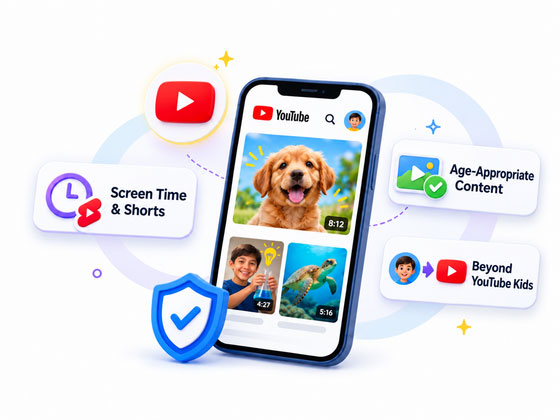
What Concerns You Most About Your Child's YouTube Use?
Whether you're planning ahead or dealing with a problem, choose the concern below to find the guide that fits your needs.
Too Much Screen Time or Endless Shorts?
If your child keeps watching longer than agreed, start with a time limit. If Shorts or back-to-back videos are the issue, tackle those separately.

Inappropriate Videos or Channels?
Worried about what your child might see? Start with content settings. If a specific video or channel is the problem, available blocking options depend on your child's YouTube account.
Need to Block YouTube Access?
If you need YouTube unavailable during certain hours, not just a daily time limit, check both the app and youtube.com. Restricting one may leave the other accessible.
Want to Know What Your Child Has Watched?
YouTube watch history and parent-facing activity reports may show different information. Find out what you can see based on your child's account and device.
Wondering If Your Child Is Ready for Regular YouTube?
If your child is outgrowing YouTube Kids or already using regular YouTube, a supervised option may offer a middle ground.

Something More Serious Happened? If your child is being threatened, exploited, or is in immediate danger, prioritize their safety and seek appropriate help before changing settings. For immediate danger, contact local emergency services. Report Content to YouTube or Report Child Sexual Exploitation (U.S.)

YouTube Kids, Supervised Accounts, or Regular YouTube?
Your child's age and region affect which supervised accounts are available. Then consider how much content access and parental oversight suit your child's readiness.
YouTube Kids
With Approved content only, parents can handpick videos, channels, and collections. Other content filters may still miss unsuitable videos.
Content levels · Approved content only · Search off · Blocking · Timer
Supervised Kid Account
Offers broader YouTube access, but no Approved content only option. Some interactive features remain restricted.
Content levels · Channel blocking · Autoplay · Shorts limits
Supervised Teen Account
Family Center shows counts of uploads, comments, and subscriptions—not a complete watch history. Teens can unlink supervision.
Content settings · Shorts limits · Family Center activity
Regular YouTube
Without linked supervision, parents don't get Family Center oversight. Age-based safeguards may still apply to teens.
Restricted Mode · Viewing reminders · Applicable teen safeguards
Which option fits your child? Compare YouTube Kids and supervised accounts👉 and understand Restricted Mode and its Limits. Beyond account eligibility, also consider how well your child manages viewing limits, handles unsuitable content, and knows when to ask for help.
Official sources: YouTube family viewing options· Supervised teen accounts
Keep Your Child's YouTube Safety Plan Up to Date
Parental controls are a starting point, not a one-time fix. As your child grows, keep your YouTube rules and settings aligned with their changing needs.

Agree on Family YouTube Rules
Decide together what your child can watch, when YouTube fits into their day, and what to do if something feels unsafe.
Check In Regularly
Talk about what your child enjoys and whether the agreed limits work. Check for new concerns or gaps in current settings.
Adjust Controls as Your Child Grows
Revisit the rules when your child changes devices or accounts, or is ready for more independence.
Common Questions About YouTube Parental Controls
What Happens to YouTube Parental Controls When My Child Turns 13?
Turning 13 (or the applicable age in your country) doesn't automatically end Google Family Link supervision. Your child can continue supervision or update their Google Accoun while keeping it. Children under 18 need parental approval to stop Family Link supervision. YouTube's separate teen Family Center supervision works differently and can be unlinked by either a parent or teen. Learn about Google Account changes at age 13 .
Can My Child Read or Post Comments With a Supervised Kid Account?
Supervised kid accounts cannot post YouTube comments. Children using the Teens or Older teens content setting can read filtered comments, but those using Older kids cannot. If you prefer to prevent comment viewing, choose the Older kids setting, keeping in mind that it also limits the videos your child can watch. Learn about supervised kid account comments .
What If My Child Watches YouTube on My Phone or Tablet?
For younger children, consider using YouTube Kids with a separate child profile instead of sharing your regular YouTube account. Eligible older children may use their own supervised accounts on supported devices. Before handing over your phone or tablet, check whether your child can still access regular YouTube or youtube.com through a browser. Learn how to create a YouTube Kids profile .
Put Your Family's YouTube Rules Into Action
-


YouTube App & Web Rules
-

Viewing Activity Insights
-

Supported Content Alerts
-

Android & iPhone Options