Rather than managing devices individually at each store, many retailers rely on Mobile Device Management (MDM) platforms to centralize control. MDM allows IT teams to deploy devices, monitor their status, distribute applications, and troubleshoot issues remotely. To understand how this works in practice, it helps to look at retail device management across the full device lifecycle.
Stage 1: Deployment — Turning Device Setup into a Scalable Process
During retail expansion, traditional manual device configuration can quickly become a major burden for IT teams. The goal of modern MDM is to transform device deployment from a manual process into a scalable, standardized workflow.
With zero-touch enrollment, IT teams no longer need to unbox devices, power them on, and manually skip setup screens. By integrating with manufacturer programs such as Apple Automated Device Enrollment (DEP), Android Zero-Touch Enrollment, and Samsung Knox Mobile Enrollment, devices can automatically enroll into the company’s management system.
Once the device arrives at the store, staff simply connect it to Wi-Fi. The device automatically recognizes the company configuration, enters a managed state, and installs the MDM agent silently in the background.
2 Instant Configuration Profile Distribution
MDM allows administrators to distribute configuration profiles to devices within seconds.
Device Pre-Configuration Controls:
Automated Network Setup Store Wi-Fi settings such as SSID, encryption protocols, and certificates can be configured automatically. This prevents connection failures caused by employees entering incorrect passwords.
System Restrictions and Compliance Settings Unnecessary system functions such as Bluetooth file transfers, manual time changes, or factory reset can be disabled in advance, ensuring devices remain compliant from the moment they are powered on.
3 “Ready-to-Use” Enterprise App Store
IT teams can also create a private enterprise app store. Based on device serial numbers or store location, required applications can be automatically installed in the background. These applications may include POS software, inventory management tools, and employee attendance apps. Even the device wallpaper and home screen layout can be standardized to match the company’s brand design.
In practice, this allows devices to go from unboxed hardware to fully operational store devices within minutes.
Stage 2: Management — Building Full Visibility Across Store Devices
Once devices are deployed in stores, the role of IT shifts from fixing individual computers to ensuring stable operations across the entire device fleet.
1 Real-Time Monitoring and Dynamic Tagging
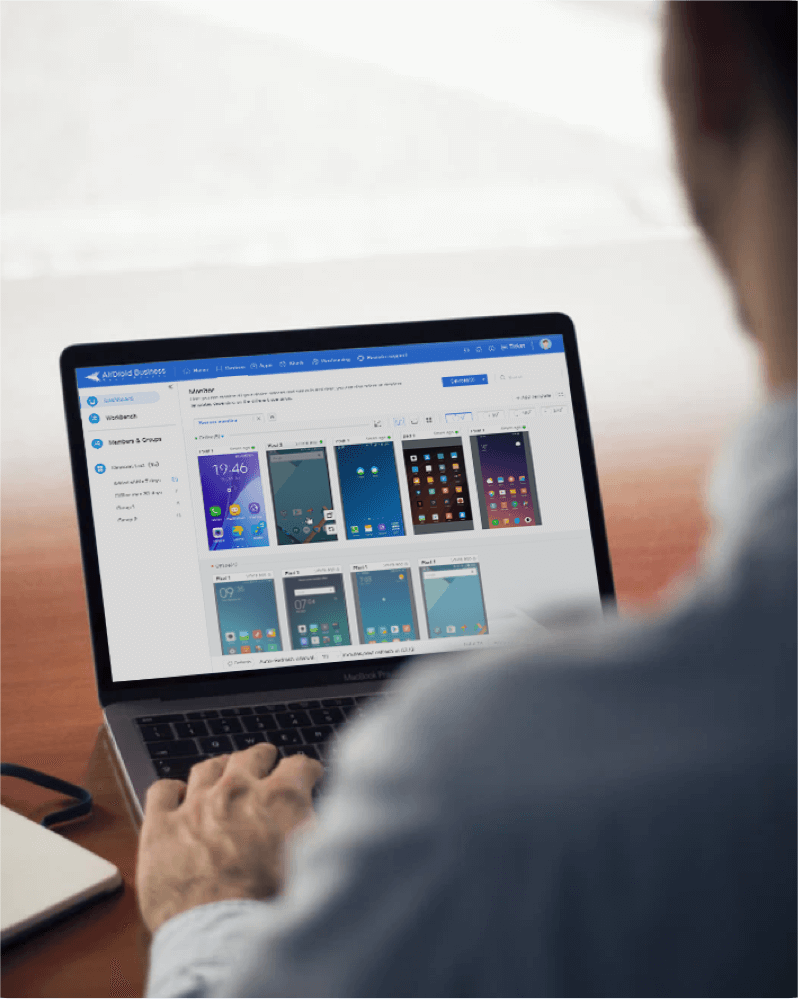
Through the MDM management console, IT teams can monitor thousands of devices in real time, including key metrics such as battery level, memory usage, storage capacity, and network signal strength.
With dynamic tagging, devices can be automatically categorized based on factors such as city, store type, or device model. This enables more granular management and allows administrators to apply policies to specific device groups.
2 Remote Control and Technical Assistance
Most store employees are not technical specialists. When a POS device freezes or an application crashes, explaining the problem over the phone can be inefficient.
Remote Support Capabilities:
Remote Screen Access IT teams can instantly view the device screen in real time, making it easier to diagnose issues without being on-site.
Log Collection System logs can be retrieved directly from the management console without requiring any action from the user. This allows IT teams to determine whether the issue is caused by unstable store network conditions or application errors.
3 Geofencing and Security Auditing
A virtual geofence can be set around each store location. If a POS device moves beyond the predefined boundary, such as leaving a 100-meter radius around the store, the system can automatically lock the device and notify the IT team at headquarters.
At the same time, the MDM platform continuously monitors device activity. It can detect actions such as installing unauthorized applications or attempting to modify restricted system settings, helping administrators maintain security and compliance across store devices.
All-in-one MDM Solution
Supports Android devices from Android 4.0 and above
Starting at just $1/device/month
Real-time alerts and automated workflows
Quickly pre-set device(s) using customizable templates
Black screen mode for secure unattended remote access
Stage 3: Maintenance — Ensuring Business Continuity in the Background
The ideal maintenance experience is one where store employees barely notice it happening. IT teams handle system updates and security protection behind the scenes without disrupting store operations.
1 Intelligent App Lifecycle Management
MDM platforms support full lifecycle management for business applications.
Forced updates and version rollback
When critical vulnerabilities appear, administrators can force all devices to update silently. If a newly released version causes compatibility issues, devices can be rolled back to a stable version with a single action.
Dynamic configuration updates
During promotional seasons, certain application parameters may need to change temporarily. Instead of reinstalling the application, administrators can distribute updated configuration files through MDM to apply changes instantly.
2 Lost Device Protection and Asset Recovery
Retail environments often involve devices moving across store areas, which increases the risk of devices being lost or misplaced.
Lost Mode If a device is lost or misplaced, administrators can remotely switch it into Lost Mode. In this state, the device becomes locked and a customizable message can be displayed on the screen, allowing organizations to provide instructions or information directly on the device.
Remote Wipe If the device cannot be recovered, IT teams can remotely erase corporate data or perform a full device wipe to ensure sensitive information, such as payment data or inventory records, does not leave the organization.
3 Device Health Reports
MDM platforms can also generate regular device health reports. These reports automatically identify devices with issues such as battery health below 20% or frequent application crashes.
This allows IT teams to plan hardware replacements proactively rather than waiting for devices to fail during business hours.
Smart MDM vs Traditional Device Management
For retailers managing devices across multiple locations, the difference between traditional management and modern MDM is significant. Manual processes often require more time, more coordination, and more on-site support. Modern MDM reduces that complexity by centralizing deployment, monitoring, updates, and troubleshooting.
Task
Traditional Management
Modern MDM Approach
Operational Impact
Device Deployment
Manual setup before delivery
Auto enrollment with preconfigured settings
Faster rollout
App Updates
Manual or inconsistent updates
Remote updates across all devices
Consistent versions
Troubleshooting
Phone support or on-site visits
Remote access for diagnosis
Faster resolution
Device Monitoring
Limited visibility
Real-time centralized monitoring
Early issue detection
Asset Management
Manual tracking (spreadsheets)
Automated inventory and reporting
Lower admin workload
Common Mistakes When Managing Retail Devices
Even with MDM in place, things can still go wrong. In retail environments, it’s often not the tool that causes problems, but how policies are set up and applied in real scenarios.
Here are a few common pitfalls we’ve seen in practice.
1. Overly restrictive kiosk mode
Kiosk mode is great for keeping devices focused on business use, but it’s easy to overdo it.
In some deployments, even basic controls like brightness or volume end up being disabled. That might look fine from a policy perspective, but in a real store environment, it quickly becomes frustrating. For example, in a brightly lit storefront, not being able to adjust screen brightness can directly affect how quickly staff can complete a transaction.
2. Skipping staged rollout for app updates
Pushing an update to every device at once sounds efficient, until something goes wrong.
If a new version has a bug, it doesn’t stay isolated. It spreads across every store at the same time. What could have been a small issue in one location becomes a network-wide disruption.
That’s why many teams prefer to roll out updates gradually, starting with a small group of devices or stores before going wider.
3. Applying identical policies to different device types
Not all store devices should be treated the same.
A POS terminal usually needs to be tightly locked down and used for a single purpose. A store tablet, on the other hand, might be part of a more flexible workflow. For example, staff may need to use the camera to document product returns.
We’ve seen cases where the same strict policy was applied to both devices. The POS worked fine, but the tablet suddenly couldn’t complete basic tasks, which ended up affecting the customer experience at the counter.
4. Allowing unmanaged personal devices on store networks
This one tends to happen quietly. When a store device runs out of battery or becomes unavailable, staff sometimes switch to their personal phones just to keep things moving. From an operational standpoint, it makes sense in the moment.
But these devices are outside IT control. They are not managed, not monitored, and not aligned with company security policies. Over time, that creates unnecessary risk around internal data and network access.
5. Lack of ongoing monitoring and policy review
Another common issue is treating device management as a one-time setup.
In reality, store environments change. Devices change. Workflows change. Policies that made sense a few months ago may no longer fit current operations. Without ongoing monitoring and periodic review, it becomes difficult to spot inconsistencies or understand why certain issues keep happening.
Conclusion
Managing retail devices at scale is no longer about individual fixes, but about maintaining consistency across every store.
MDM gives IT teams the ability to deploy, monitor, and maintain devices in a more controlled and efficient way, without relying on on-site support. Solutions like Airdroid Business make this process easier by bringing remote access, app management, and device control into a single platform.
Gareth Mitchell is a tech writer who knows stuff about MDM (mobile device management) very well. Meanwhile, he breaks down tricky tech topics so they're easy to grasp.










Leave a Reply.